A moving cost calculator for your moving company website.
Movers ask for a calculator. What goes on your site is a Smart Quote Form: the customer answers a few questions and sees a price range worked out from your own rates. The form is free, and each lead lands in your email and your CRM.

How the price is worked out.
- 1
The customer describes the move.
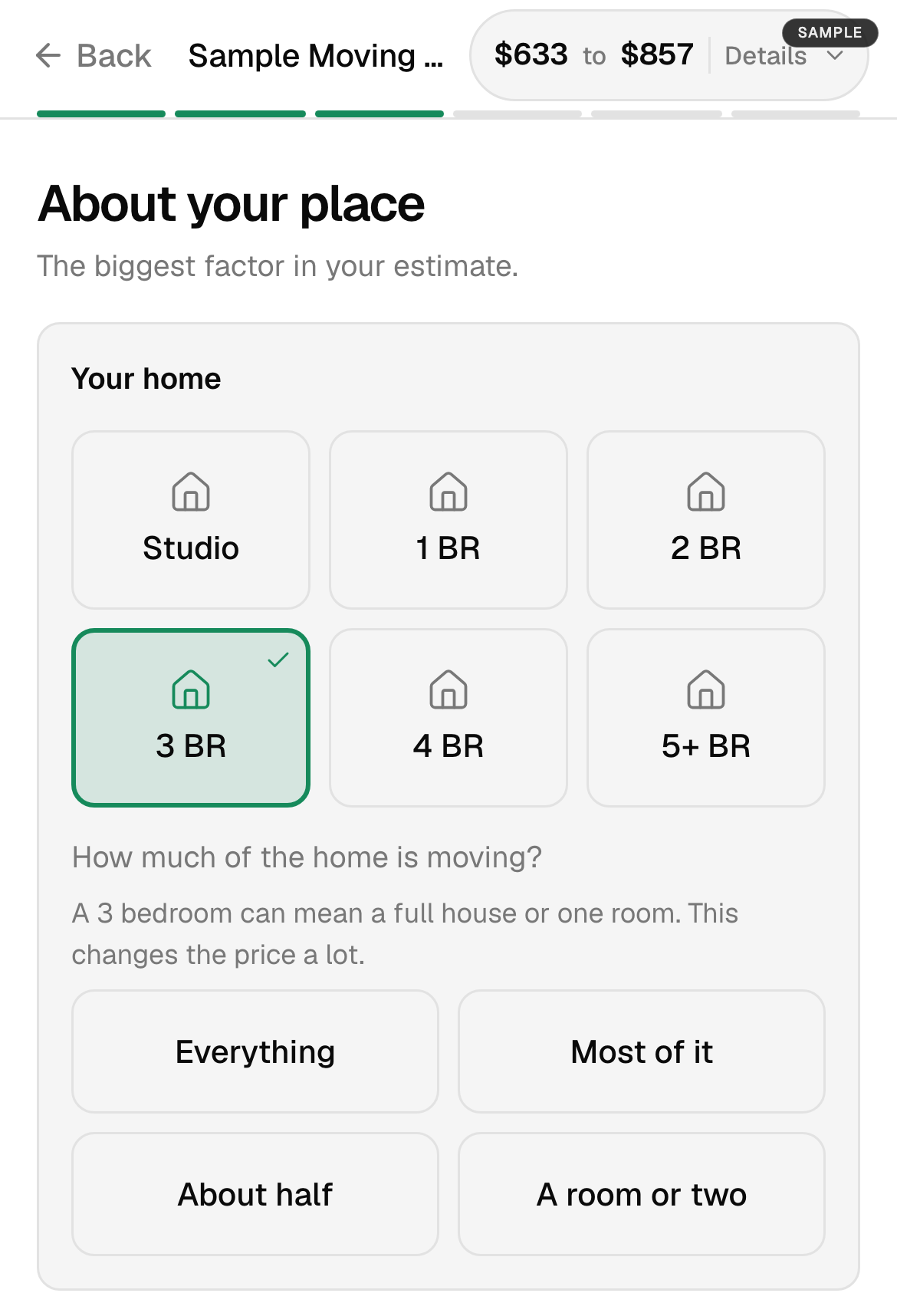
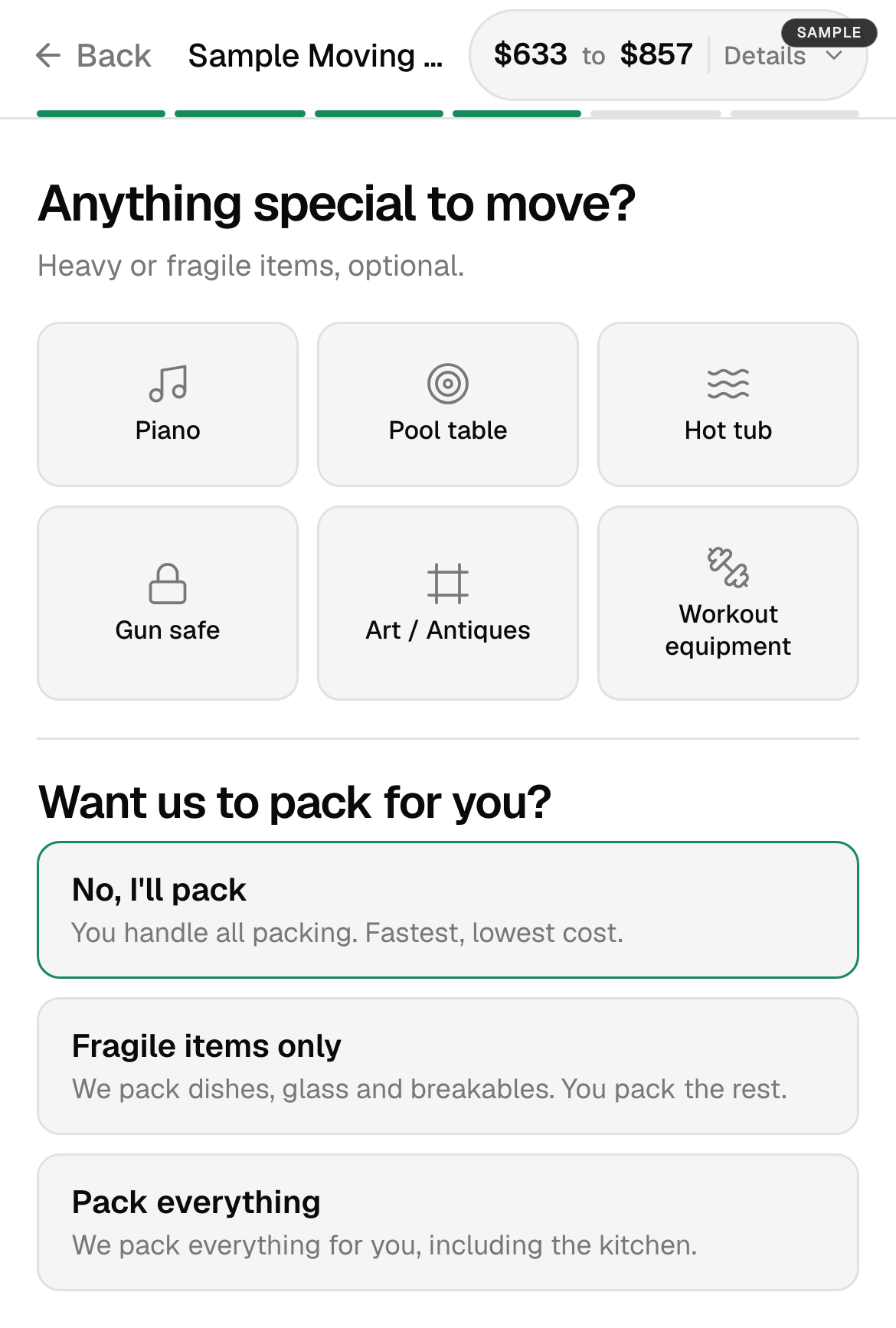
Both addresses, the date, the size of the home and how much of it is moving, the kind of home and the stairs, any special items, and whether they want packing.
- 2
The form sizes the job.
From the home size, the distance between the addresses and the time a job like that takes.
- 3
Your prices do the math.
Your rates, your travel and truck charges, your access fees, your fees for specialty items and your packing prices. Nothing comes from a market average.
- 4
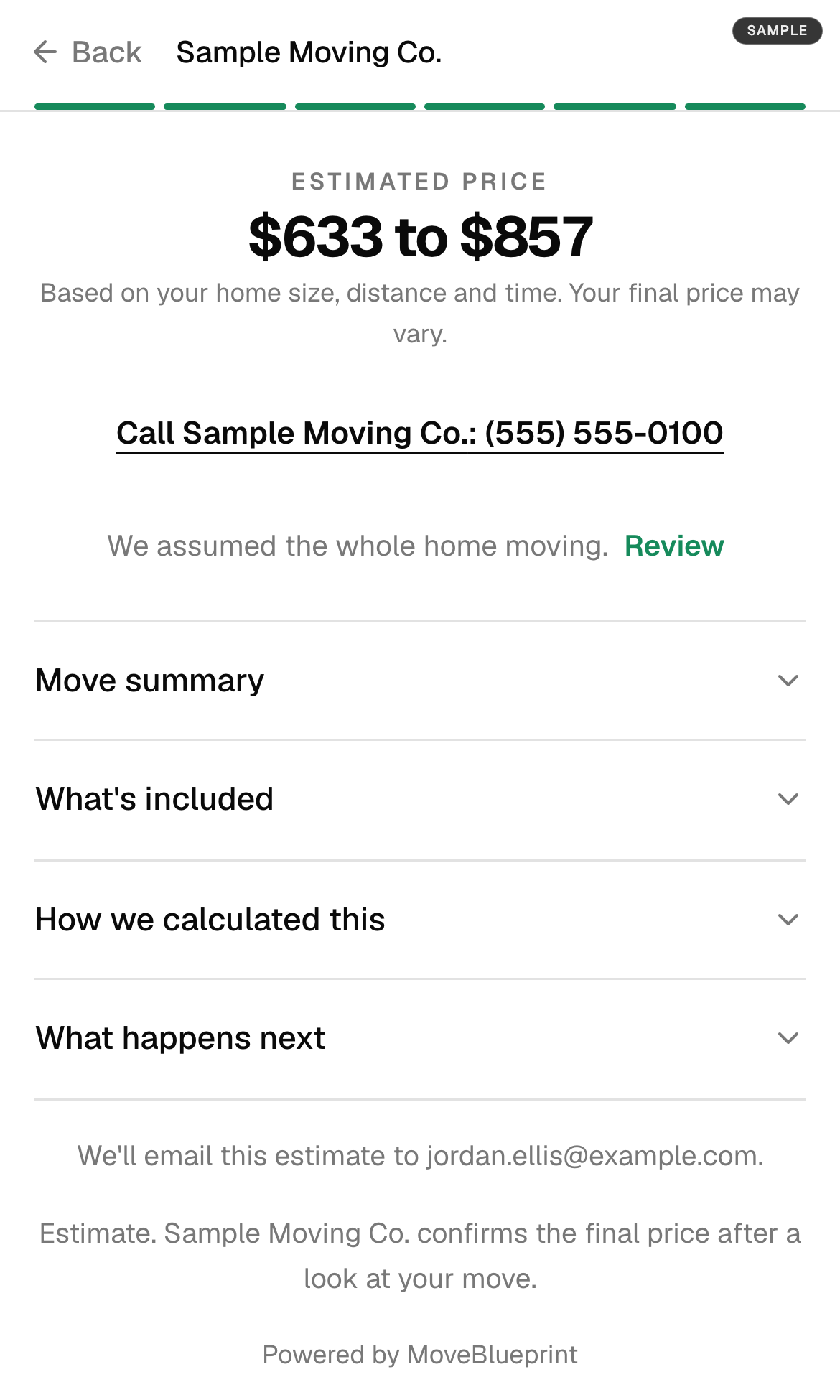
The customer sees a range.
A low and a high number on the same screen, marked as an estimate. You give the final number after you see what is moving.
- 5
You get the lead with the range.
In your email and your CRM, with a text to the owner, so you call back knowing what the customer was shown.
What the customer enters and what you set.
| The customer enters | You set the price for it |
|---|---|
| Where from and where to | Travel and truck charges |
| Size of the home and how much is moving | Your rates for the crew and the hours |
| Kind of home and stairs | Access fees |
| Special items such as a piano, pool table or gun safe | A fee for each specialty item |
| Packing: none, fragile items only, or everything | Packing prices |
We load your prices from your rate sheet, your tariff or your CRM when you start, so you do not build a formula by hand. You can change them any time.
Why a range and not one number.
A short form knows the bedroom count. It does not know about the garage, the storage unit or the piano nobody mentioned. One exact number from that little information is a number you will have to walk back, and the customer remembers the first price they saw.
A range is honest about what the form knows. It is close enough for the customer to decide whether to keep talking to you, and it leaves the final number to you. When you need the real one, the customer can film a walkthrough of the home or walk it with you on a live video call, and you quote from an inventory. That part is on the paid plan and is described in how the video survey works.
A widget, a plugin, or a quote form.
Many tools sold under this name are one of two things. A general widget builder gives you sliders and a formula you write yourself. It works for a simple price list, and a moving price is not simple: it changes with stairs, travel time, a heavy item and the day of the week. A consumer cost tool shows a national average, which puts a price from other companies on your website.
A quote form built for movers already asks the questions that change a moving price and already knows how your prices apply to them. It goes on your site as one embed snippet, so there is no plugin to install or keep updated. What is free and what is paid is laid out in the free Smart Quote Form for moving companies.
What to know before you put prices on your site.
- It is an estimate, and it says so. The customer sees a range from your rates, never a fixed price or a promise.
- Your competitors do not get the lead. The form is on your own website under your name. Nothing is sent to a lead marketplace.
- The form is free. It is a free plan with no card and no time limit. The paid plan adds booking and the video walkthrough.
- You keep your CRM. The lead lands in the CRM you already run, or in your MoveBlueprint dashboard if you have none.
Common questions
Can I put a moving cost calculator on my moving company website?
Yes. MoveBlueprint puts a Smart Quote Form on your site that does the job movers call a calculator: the customer answers a few questions and sees a price range worked out from your own rates. It goes on with one embed snippet and it is free.
How does it work out the price?
From the answers the customer gives (the two addresses, the home size and how much of it is moving, the access, special items and packing) and the prices you set: your rates, travel, trucks, access fees, specialty items and packing. It never uses a market average.
Does the customer see one exact price?
No. The customer sees a range. It is an estimate from a short form, and you give the final number after you see what is moving.
Is it a WordPress plugin?
It is one embed snippet, so there is nothing to install or update. It works on any website builder that lets you add a snippet of code.
What does it cost?
Nothing. The Smart Quote Form is a free plan with no card and no time limit. The paid plan adds booking and the video walkthrough, and the free Smart Quote Form page lists what is in each.
What happens to the lead?
It goes to your email and your CRM with the range the customer saw, and the owner gets a text, so you call back knowing what they were shown.
Keep exploring
- Free Smart Quote Form for moving companies →
- Instant moving quote on your website →
- Automated online booking with a deposit hold →
- Live video survey into your CRM →
- Best virtual and video survey software (2026) →
- What AI moving survey software costs →
- What a cube sheet is and how far to trust it →
- Study: most cube sheets are one document →
- Moving cubic feet chart by item →
- How the AI video survey works →
- Moving estimate types and FMCSA Item 411 →
- Moving estimate accuracy →
- AI for movers →
- SmartMoving integration →
- CRM integrations →
- Deposit collection software →
- Best CRM for moving companies (2026 comparison) →
- Best moving company software (2026 comparison) →
- Moving estimate software →
- SEO for moving companies →
- Moving company website guide →
- SmartMoving alternatives →
- Yembo alternatives →
- MoveItPro alternatives →
- Supermove alternatives →
- Movegistics alternatives →
- Qubesheets alternatives →
- LiveSwitch alternatives →
- Vonigo alternatives →
- Elromco alternatives →
- Moverbase alternatives →
- Network Leads alternatives →
- HomeSurvey.ai alternatives →
- How to film a moving walkthrough →
- Recorded or live video walkthrough →
- What to ask on a moving quote form →
- Win a moving lead sold to other movers →
Show a price on your site this week.
Start the free account and paste the snippet, or book a demo and see your own rates in the form first. What the customer does after they see the range is in the instant moving quote.